
We always wish to have a solution with one click that can combine data from multiple sheets into one master sheet. This simple VBA Code allows you to combine all the sheets into one single sheet.
You can use the code in Excel for mac & windows
- Copy the below VBA Code by clicking on the copy box

- Open Microsoft Visual Basic for Applications window Developer Ribbon Tab > Visual Basic (Shortcut keys as follows for mac & windows)
- mac users fn + ⌥ [option] + F11
- windows users Alt + F11
- From the menu bar select Insert > Module and insert new Modules
- Paste the code into the module.
Note: It is always to take a back-up copy of your original before running the code on the original file.
Sub AppendAllSheetsData()
  'Made it easy by ExcelExciting.com
    Dim i As Integer
    On Error Resume Next
    'Create New Sheet called as MergedSheet
    Sheets(1).Select
    Worksheets.Add
    'You can rename the sheet name here
    Sheets(1).Name = "MergedSheet"
    Sheets(2).Activate
    Range("A1").EntireRow.Select
    Selection.Copy Destination:=Sheets(1).Range("A1")
    'Loop Start Here to combine the sheets
    For i = 2 To Sheets.Count
        Sheets(i).Activate
        Range("A1").Select
        Selection.CurrentRegion.Select
        Selection.Offset(1, 0).Resize(Selection.Rows.Count - 1).Select
        Selection.Copy Destination:=Sheets(1).Range("A65536").End(xlUp)(2)
    Next i
    Sheets(1).Activate
End Sub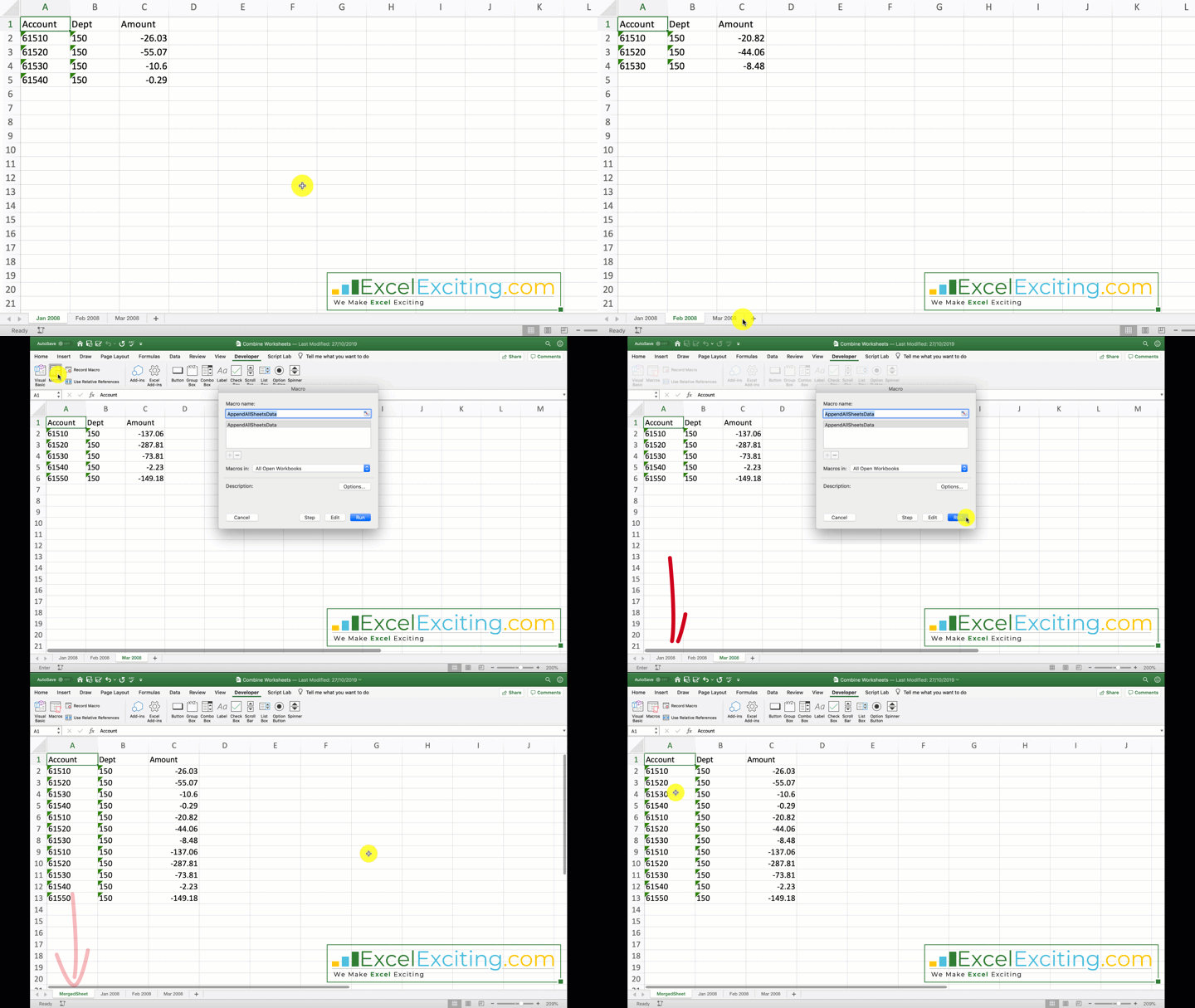
If you like this post make sure you share it 🙂
Video
Subscribe to YouTube Channel for Exciting Tip & Trick On Office Applications
Was the information helpful in this blog?
- If yes, hit that share button and show the excitement to the world.
- Subscribe to our free posts.
Join 2,926 other subscribers
If no, please let us know what to improve.
Having trouble with any Office Apps. Feel free to ask and answer queries at our forums section.
I have a doubt in this line of code what is the (2)for? what is the purpose of that (2)?
Selection.Copy Destination:=Sheets(1).Range(“A65536”).End(xlUp)(2)
I tried running the code without the (2) and it did not take a header in the master sheet.
Dear Faraz Shaikh
This is almost exactly what I was looking for .. not having Kutools for Excel on Mac.
How can I make it “auto-update” if I insert new data (master file remains but gets updated)?
Thanks for your efforts in advance!
Best
Clea.